
VPS hosting in India
with full root access.
A virtual private server gives your site or app its own guaranteed CPU, RAM and NVMe storage, isolated with KVM virtualization. Deploy in Mumbai for low latency across India, or pick another region for a global audience, and manage it your way over SSH.
What is VPS hosting?
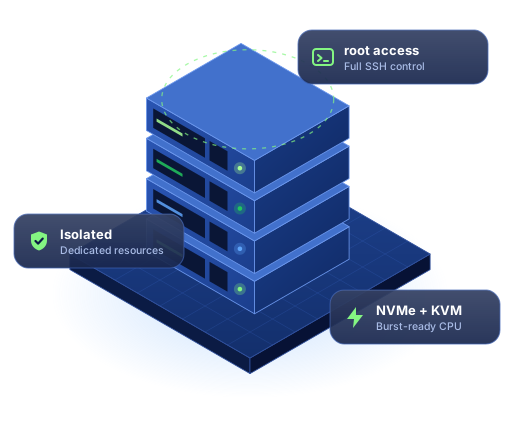
VPS stands for virtual private server. One powerful physical server is split into several isolated virtual machines using a hypervisor. Each VPS runs its own operating system and gets a fixed share of CPU, memory and storage that other customers can't touch.
That isolation is the main difference from shared web hosting. On a shared plan, hundreds of sites draw from the same pool of resources, so a traffic spike on someone else's site can slow yours down. On a VPS, the resources in your plan are reserved for you, and you get root access to install any software, run background workers, open custom ports and tune the server for your workload.
A VPS sits between shared hosting and a dedicated server. You get most of the control of your own machine without paying for, or maintaining, physical hardware. If you later need to scale across several servers automatically, cloud hosting is the next step.
When should you move to a VPS?
- Your site has outgrown shared hosting and slows down at busy times.
- You need software a shared plan can't run, such as Node.js, Python, Docker, Redis or a custom PHP build.
- You run an online store, membership site or SaaS app where consistent performance matters.
- You host websites for clients and want them separated from other customers.
- You need predictable resources for a database, API, background jobs or a staging server.
A server that's yours,
on hardware we look after.
Every VPS plan comes with the same platform features. You choose how much CPU, memory and storage you need.
KVM virtualization
Full hardware virtualization with your own kernel. CPU and RAM are allocated to your server, not shared with noisy neighbours.
NVMe SSD storage
Fast NVMe drives keep databases, caches and file-heavy apps responsive under load.
Full root & SSH access
Install any package, edit any config file and automate with your own scripts. SSH key login is supported.
Choice of Linux OS
Start from a clean image of a popular Linux distribution such as Ubuntu, Debian, AlmaLinux or Rocky Linux, and reinstall whenever you need a fresh start.
DDoS protection
Network-level filtering absorbs common flood attacks before they reach your server.
Snapshots & backups
Take a snapshot before a risky change and roll back in minutes if something breaks.
Dedicated IP address
Each VPS gets its own public IPv4 address for SSL, mail and firewall rules.
Upgrade without migrating
Move to a bigger plan from your client area. Your data, IP and configuration stay in place.
24/7 infrastructure support
Our engineers keep the hardware, network and hypervisor healthy around the clock, and can help when you get stuck.
Pick the resources
your workload needs.
All plans include root access, NVMe storage, a dedicated IPv4 address and DDoS protection. Choose your location and operating system when you order.
VPS 1
- 2 vCPU cores
- 4 GB guaranteed RAM
- 80 GB NVMe storage
- 2 TB monthly transfer
- 1 dedicated IPv4
VPS 2
- 4 vCPU cores
- 8 GB guaranteed RAM
- 160 GB NVMe storage
- 4 TB monthly transfer
- 1 dedicated IPv4
VPS 4
- 6 vCPU cores
- 16 GB guaranteed RAM
- 320 GB NVMe storage
- 6 TB monthly transfer
- 1 dedicated IPv4
VPS 8
- 8 vCPU cores
- 32 GB guaranteed RAM
- 640 GB NVMe storage
- 8 TB monthly transfer
- 1 dedicated IPv4
Not sure which size fits? Ask an engineer and we'll size it with you.
Shared vs VPS vs cloud hosting
Each type of hosting suits a different stage. Here's how they compare on the things that usually decide it.
| Shared hosting | VPS hosting | Cloud hosting | |
|---|---|---|---|
| Resources | Shared with other sites | Guaranteed CPU, RAM and storage | Scales across several servers |
| Root access | No | Yes | Yes |
| Custom software | Limited to what the server offers | Install anything | Install anything |
| Technical skill | None needed | Basic Linux and SSH | Comfortable with servers or DevOps |
| Best for | Blogs, portfolios, small business sites | Stores, apps, agencies, growing sites | High-traffic and spiky workloads |
| Start here | Web hosting | VPS plans | Cloud hosting |
Why host your VPS in India?
If most of your visitors are in India, the physical distance between them and your server adds delay to every request. A VPS in our Mumbai datacenter keeps that round trip short for users across the country, which helps pages start loading sooner and makes APIs and dashboards feel more responsive.
Hosting in India can also simplify data-handling conversations with Indian customers and partners who prefer their data to stay in the country. If you process personal data, read up on your obligations under India's Digital Personal Data Protection Act, 2023, and choose a location that fits your compliance needs.
Serving a global audience instead? Deploy in a region closer to your main market and put a CDN in front of the server so static files load quickly everywhere.
Popular uses for a VPS
- WooCommerce and online stores that need consistent speed at checkout.
- Node.js, Python, PHP and Go apps, including APIs and background workers.
- Agencies hosting several client websites with a control panel.
- Databases and caches such as MySQL, PostgreSQL and Redis.
- Development, staging and CI runners that mirror production.
- VPN, mail and self-hosted tools your team relies on.
VPS hosting questions,
answered plainly.
What is the difference between VPS hosting and shared hosting?
Do I get full root access?
Is the VPS located in India?
Which operating systems can I install?
Can I use cPanel or another control panel on my VPS?
Is a VPS good for WordPress?
Can I upgrade my VPS later?
How do I order a VPS?
Your own server,
without the hardware.
Pick a VPS plan, choose Mumbai or another region, and log in as root. Need help sizing it? Our engineers are a message away.