
Move your site
without breaking it.
Three ways to migrate, depending on how hands-on you want to be. All of them keep your site online. None of them cost extra. We've moved 47,000+ sites to HostingDon — most in under 90 minutes, with zero customer-visible downtime.
Three ways to do this,
your call.
We do it for you
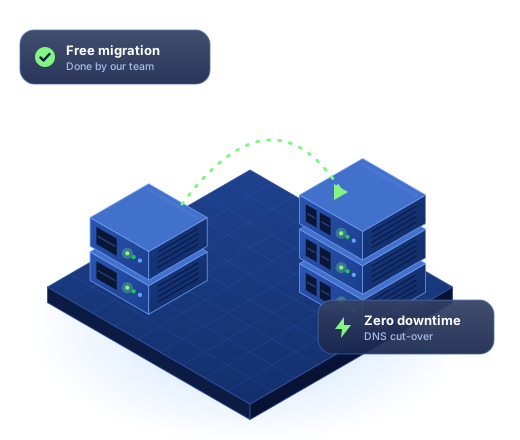
Free white-glove migration by our team. You sit back. We move everything: files, databases, email, DNS, SSL. Cutover at a time of your choosing — even 3 AM if you want.
- ✓ Zero downtime, guaranteed
- ✓ Typical timeline: 24–72 hours
- ✓ Up to 100 sites per migration ticket
- ✓ Free SSL provisioning included
Guided DIY
Want to do it yourself but want a tested playbook? Follow our 6-step guide below. Most engineers complete it in 1–2 hours. Hit a snag? Open chat — we'll help in real time.
- ✓ Full control, your timeline
- ✓ Live chat help when stuck
- ✓ Pre-flight checklist below
- ✓ Common-issue troubleshooting included
Quick checklist
For experienced ops folks who just want a checklist to make sure nothing's missed. Skip the explanations — go straight to the pre-flight items.
- ✓ 18 pre-flight checklist items
- ✓ Cutover playbook
- ✓ Post-cutover validation
- ✓ Rollback plan if something breaks
Six steps,
no surprises.
Total time: 1–2 hours of active work, plus DNS propagation. We recommend running through this once on a low-traffic site or staging copy before doing it on your main site.
Back up everything from your current host
Download files via SFTP/rsync. Export databases via mysqldump or your host's backup tool. Don't trust any single backup — make two and verify they restore. Save email contents if you're keeping email accounts.
Provision your HostingDon account & create the site
Sign up for the plan you need. Create a new site shell in our dashboard. Note your account's SSH / SFTP credentials and the temporary preview URL we give you.
Lower your DNS TTL (24–48 hours ahead of cutover)
In your current DNS provider, change your A record's TTL to 300 (5 minutes). This makes the eventual cutover propagate fast. Do this 24–48 hours before you actually cut over.
Upload files to HostingDon
Use SFTP, rsync, or our migration importer. For WordPress, upload everything in public_html/. For other stacks, upload to ~/htdocs/. Verify file counts match the source.
Import the database & test on the preview URL
Create a database in our dashboard, import your .sql dump via phpMyAdmin or mysql CLI, and update your config files with the new credentials. Visit your temporary preview URL — your site should load. Click around. Test forms. Test logged-in pages.
DNS cutover & SSL
When ready, change your A record at your DNS provider to point to your HostingDon IP (in your dashboard). Because TTL is 300, propagation is near-instant. Trigger Let's Encrypt SSL provisioning in our dashboard. Verify HTTPS works on your real domain. Done.
The 18-point
cutover checklist.
Print this. Tick boxes. Don't skip.
Before you start
- Two complete, verified backups of the site (files + database). Don't trust just one.
- List of every domain name pointing at the site (apex + subdomains).
- Access to your DNS provider with permission to change records.
- List of all email accounts that need to keep working — and their MX setup.
- List of cron jobs / scheduled tasks running on the source.
- Inventory of any third-party integrations using the IP/hostname (webhook destinations, allow-listed IPs).
24–48 hours before cutover
- Lower DNS TTL on all relevant records to 300 seconds.
- Files uploaded and verified file count matches source.
- Database imported and config updated with new credentials.
- Site loads correctly on the temporary preview URL.
- Forms submit, payments process (in test mode), logged-in pages work.
- Cron jobs / scheduled tasks recreated on HostingDon.
At cutover
- Final database sync if there's been activity since first import.
- Update DNS A records to HostingDon IPs.
- Trigger Let's Encrypt SSL provisioning on real domain.
- Verify HTTPS works on apex + www + any subdomains.
Post-cutover
- Click through key pages on real domain — homepage, contact form, login, checkout if applicable.
- Restore TTL to a reasonable value (3600 or higher) once stable.
- Keep old host's account active for 7 days minimum, in case of rollback.
Common issues
& how to fix them.
My WordPress site shows "Error establishing a database connection"
wp-config.php — DB_NAME, DB_USER, DB_PASSWORD, and DB_HOST must match exactly what HostingDon's dashboard shows. DB_HOST should usually be localhost on us, not the IP your old host used.My site loads but images and CSS are broken
wp search-replace 'old-domain.com' 'new-domain.com' via WP-CLI. Other stacks: use a search-replace SQL script or Better Search Replace if no CLI access.Email stopped working after DNS change
SSL certificate fails to issue
Visitors see the old site, I see the new one
I need to roll back to my old host
Talk to a
migration engineer.
Our migration team is staffed 24/7. Median first reply: under 2 minutes. They've moved sites of every shape — from 5-page brochures to 50,000-product WooCommerce stores. They've seen what you're trying to do.